


It’s my first Manifold changelog, and I’m pretty excited about it! Not only because all these things have been a WIP for a while now and it feels good to finally get them across the line, but because I’m happy to bring some brand new features to the site.
I want to start with a huge shoutout to @Genzy and @wasabipesto for all of the collaboration, feedback, reviews, and generally just making Manifold a fun place to be (and build). I’ve learned so much from working with our little team, and I love having the freedom and support to experiment here.
Okay, on to the changes.
In this update:
@ManifoldSports is live — a new official account bringing tournament match markets to Manifold, starting with the 2026 World Cup (first games June 11th).
Auto-generating, auto-resolving markets — World Cup matchups create themselves as the bracket fills in and resolve to the official result shortly after each match, so you can roll your mana into the next round without waiting on manual resolution.
Dashboards are back — relaunching with a redesigned 2026 World Cup dashboard, split into an Official tab (Manifold-run match markets with a new card design and in-page betting) and a Community tab (a preview of how dashboards will work site-wide).
Refreshed Community Guidelines — moved off Notion and onto native site pages, reviewed for accuracy, with a User Guide on the way.
Welcome @ManifoldSports
Okay, @ManifoldSports isn’t a site change, but what can I say, I’m taking some liberties with this piece and slipping it through before anyone says otherwise.
ManifoldSports is our newest official account, bringing official tournament match markets to Manifold. We’re getting started with the World Cup, which kicks off with two games played in Mexico on June 11th. Follow ManifoldSports on the site for updates, announcements, and more.
Auto-Generating and Auto-Resolving Markets
They look the same as other markets on the site, but ManifoldSports World Cup matchups are different from any others we’ve ever created: these markets auto-generate and auto-resolve after the match is played.
When the World Cup starts, 72 matchups (out of 104 total) are already determined. Those games are already up on the site and available for traders to follow (and bet) along. From there, new matches are determined based on the outcomes. ManifoldSports will auto-generate those markets as they are confirmed.
The first 72 matches will resolve either to a winning team or a Draw. Future matches can’t end in a draw, and those markets are generated with only the option to bet on the playing teams. The close time is set with plenty of time for additional gameplay to break the tie.
As you can imagine, manually managing that many markets takes a lot of attention and work. Traders with profits on these games want to be able to take their Mana and put it to work on the next round, so any delays can be really annoying.
These markets will automatically resolve to the official outcome shortly after the game is played.
Dashboards Are Back (Starting With the World Cup)
If you’re newer here, you may not know Manifold once had Dashboards. If you’ve been around a while, you might (like me!) have missed them. Either way, they’re back! They’re limited for now, but it’s a start.
At the moment, the only one is the 2026 World Cup dashboard, and it has two tabs: Official and Community. They look and behave a little differently from each other and from the rest of the site, so here’s what to expect from each.
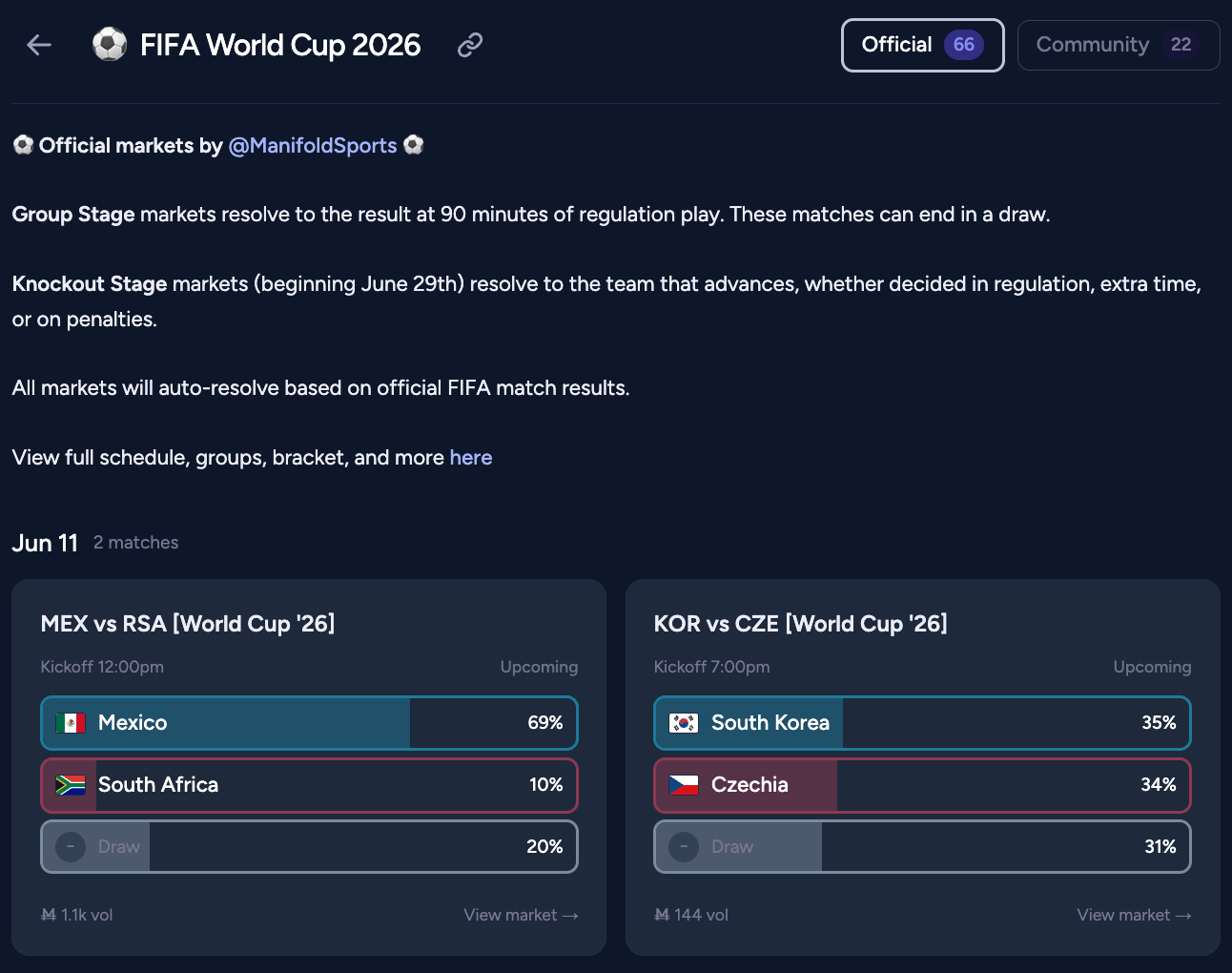
Official Tab
This tab holds Manifold’s own match markets, all created and managed by ManifoldSports (with support from the Admin and Mod teams), with a brand-new card design built just for the tournament.
Layout: matches are grouped by date, then sorted by kickoff time, which you’ll see in the top-right of each card. Every card shows live probabilities and market volume at a glance.
Your positions: if you hold one, the card footer updates to show it. A solid pip means at least one position; an open pip means at least one open limit order. Hover for the details.

Betting in place: there’s a redesigned betting modal that opens right on the dashboard. From it you can move between the match outcomes, switch between Yes and No, and place a bet or limit order — all without leaving the page.
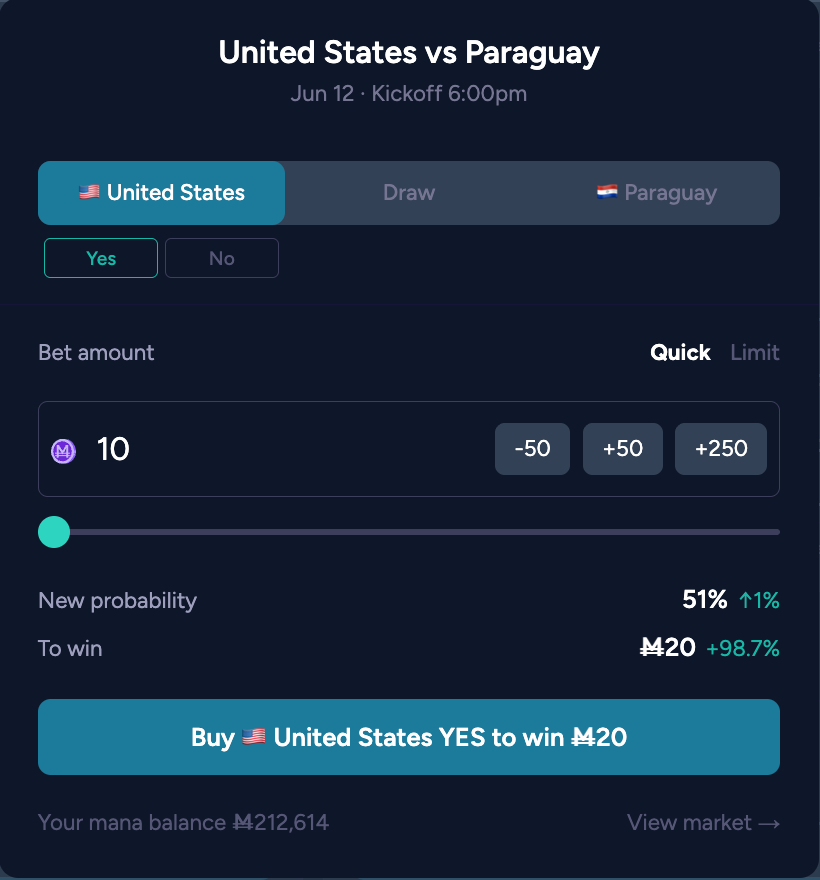
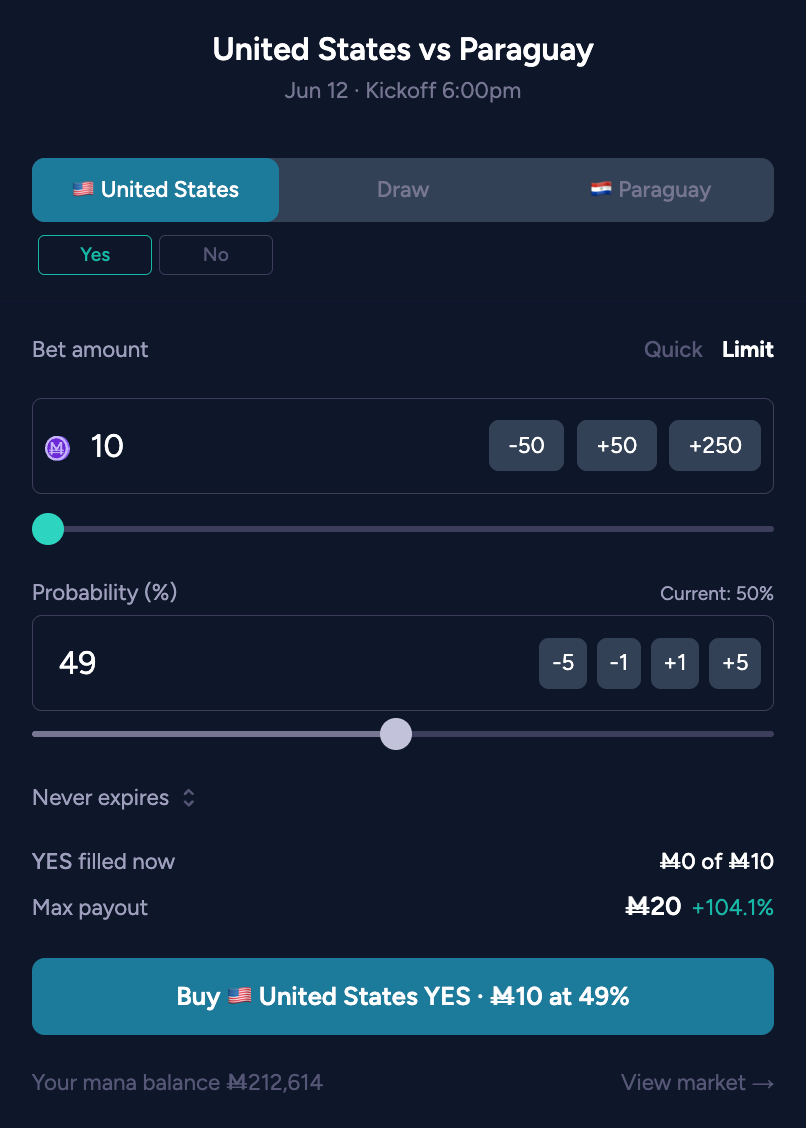
Or do it the classic way: the markets themselves haven’t changed, so you can click the match title, the “view market →” link, or the position hovercard to go straight to the full market page.
One thing that’s different: played matches don’t pile up. Once a market resolves, it sinks below the open ones — first into a Recent section, then into Past Games after about 12 hours. You can always scroll down to find resolved markets; you just won’t have to push past them to see what’s still live.

Community Tab
The Community tab is meant to feel more familiar, so the cards stay close to what you see elsewhere on the site, with a few tweaks: they’re resized to fit two across, carry a market-type label in the top right corner, show a chart illustration on numeric markets, and display a positions pill in the bottom-right (with a hovercard) when you hold a position or have an open limit order. As elsewhere on the site, the whole card is clickable and takes you to the market page.
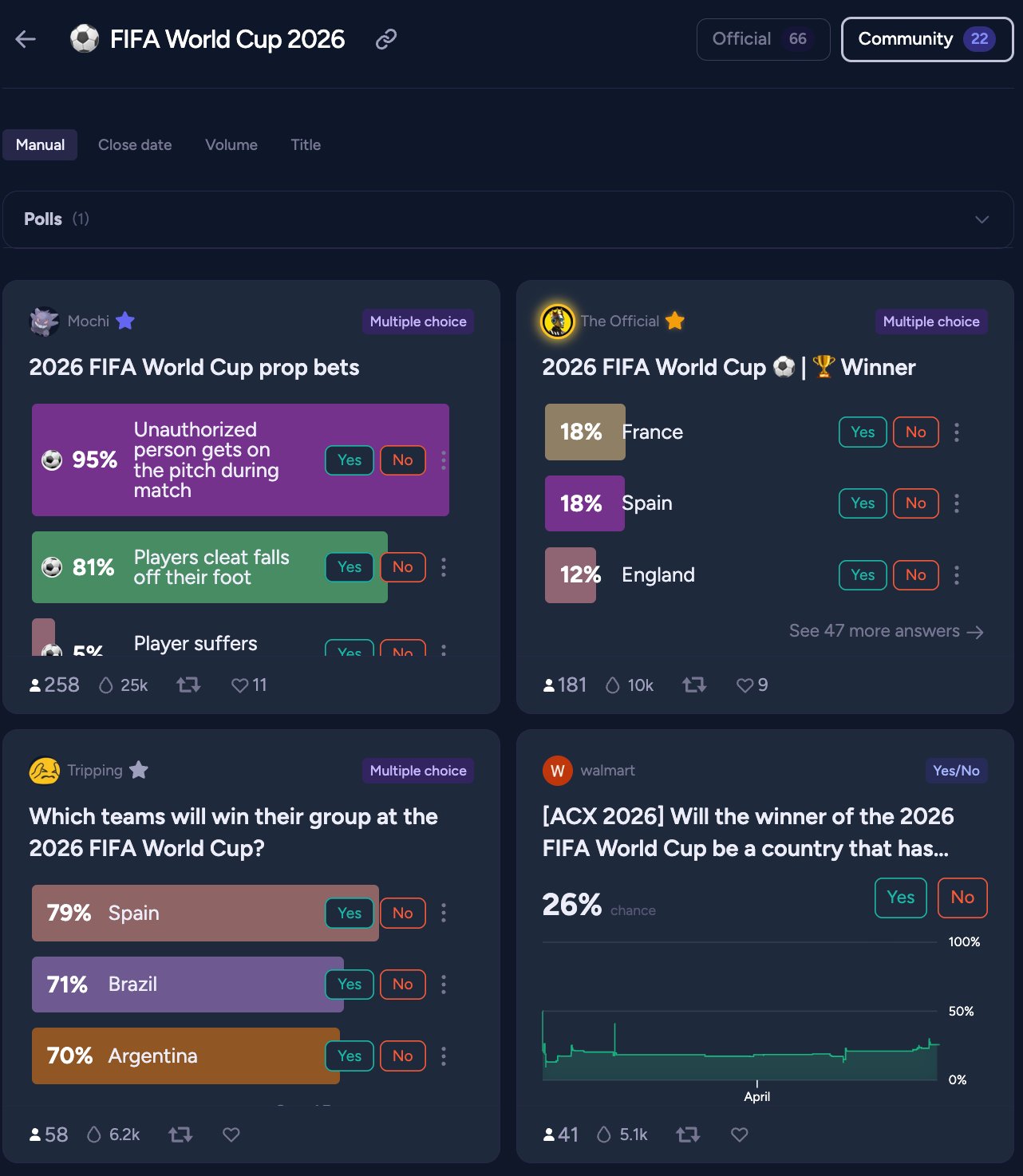
Sorting works a little differently on the Community tab. Resolved markets still sink, but they drop straight into a Past section rather than passing through an interim stage. You also get a few sort options, and this tab accepts all market types — with Polls grouped at the top in a section you can collapse to tuck them away. We wanted polls to stay visible without getting lost among, or mixed into, the regular market cards.
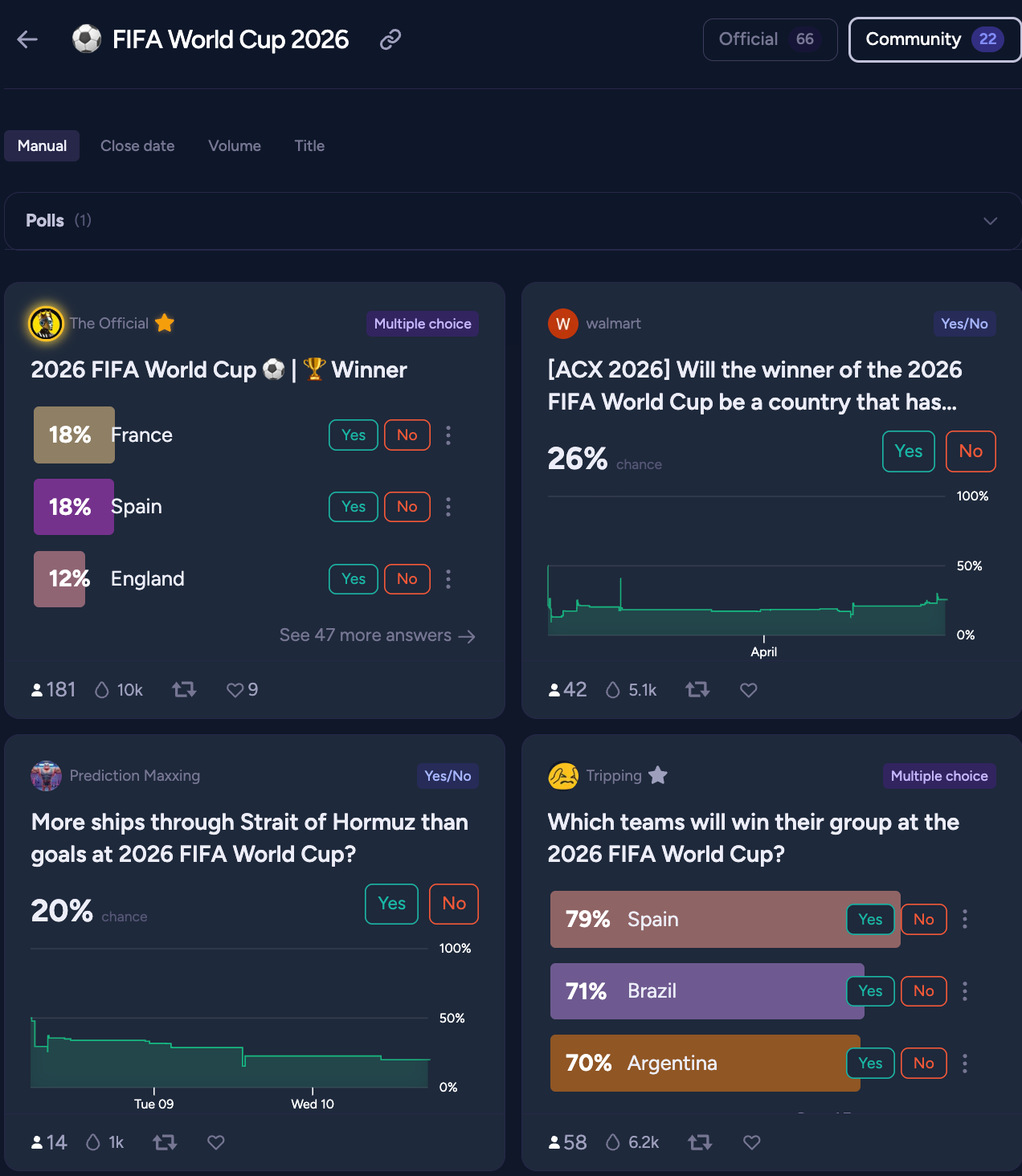
This tab is also our model for where Dashboards are headed: it’s the template we plan to refine and then roll out more widely, eventually letting users build their own. So if you’ve got thoughts on the layout or behavior, comment to let me know. You may help shape the future of Dashboards on the site.
Community Guidelines Refresh
With all respect to Notion, it was time for the Community Guidelines to move on to purpler pastures.
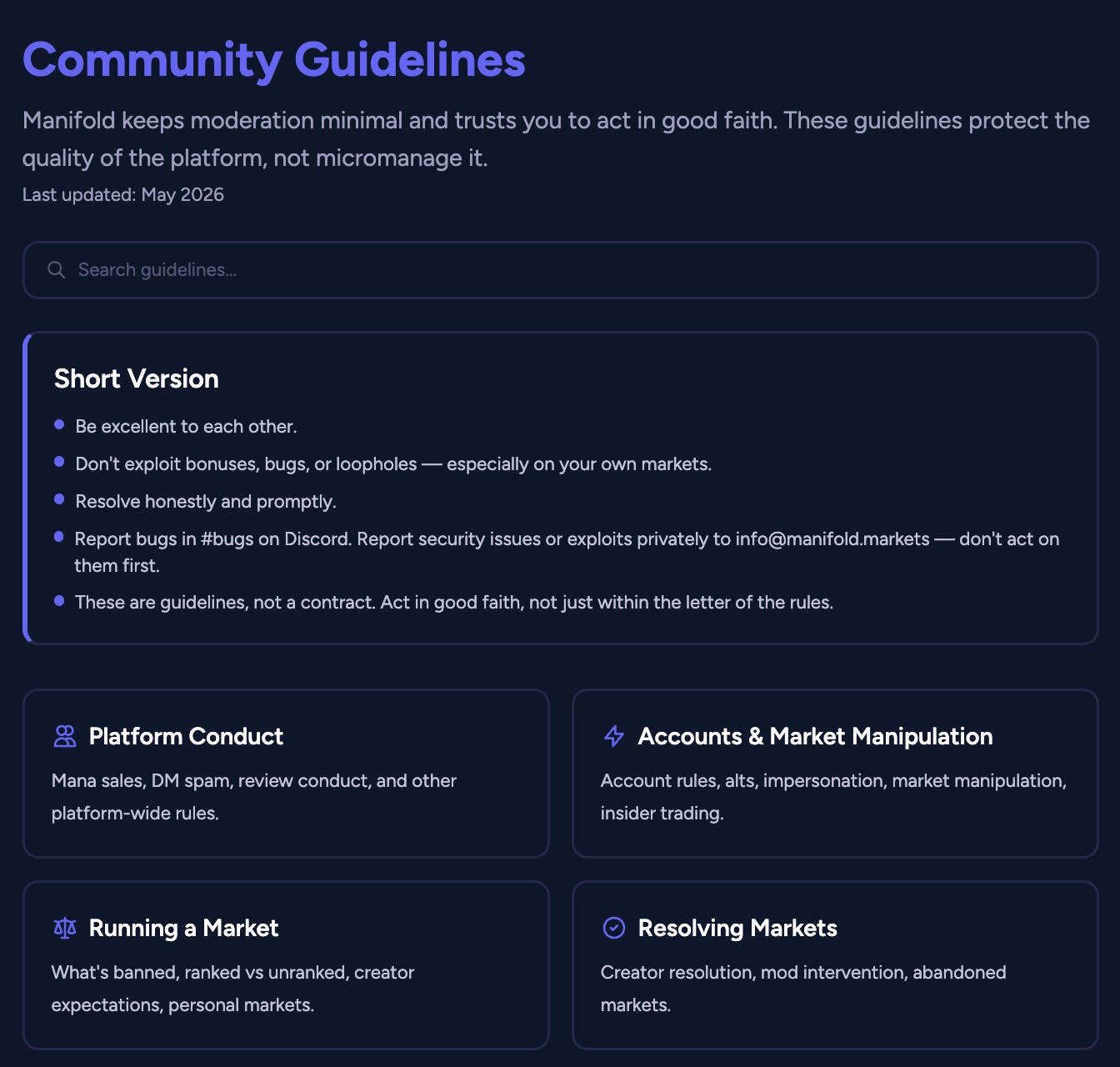
We not only reviewed the content to ensure everything there reflects the current state of Manifold, but we’ve officially created pages on the site for all of that information to live.
Now, when you click the Community Guidelines link, you’ll land on a hub for a variety of pages covering all sorts of details on how the site works, what Moderators do, the ins and outs of participating in Prize Drawings, and a lot more.
The next step is to create a User Guide (there’s a loose starting point in the pages right now) that will offer some insights like best practices, advice on creating interesting markets with legible criteria, and that sort of thing. Have something you think belongs in the User Guide, or the Community Guidelines? Something in there that could be more clear? Let me know!
-Stef