


Bonuses
Last week, @Genzy brought us a limited-time run of doubled unique trader bonuses! This is a great time to make new markets and recoup some of those costs. I went ahead and made a market I had been thinking about recently, and I’ve already received M390 in trader bonuses. And don’t forget: you can make one small market for free every week via the quest bonuses!
Genzy says he’ll probably turn it off on Monday, but the markets think he might leave it on a bit longer. You can also bet on how much extra mana will be distributed as part of this promo here:
New Sort & Filter
So many markets are basically decided already, resting at 90-95% for months before resolution. Boring! How do you find the interesting, uncertain ones that haven’t been settled yet?
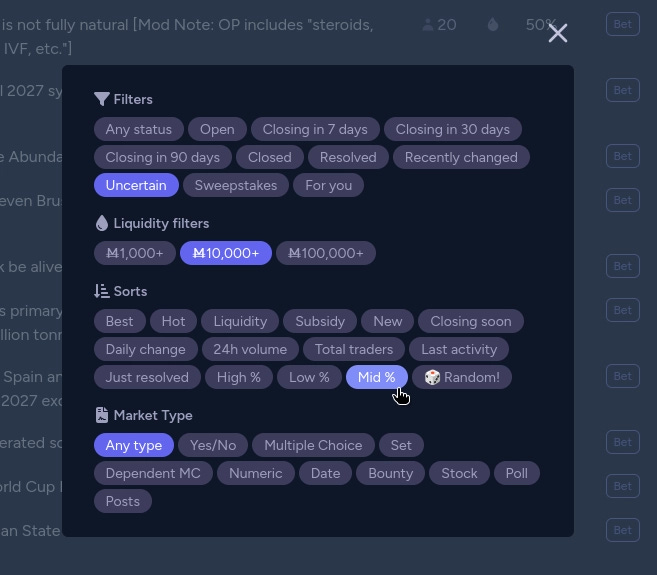
Starting this week, you can use the new options for finding markets far from the extremes. The Uncertain filter option only shows binary markets with probabilities between 30-70%, which is very nice when combined with a sort like 24-hour volume. And the new Mid % sort option orders all markets by how close they are to 50%, which is amazing when paired with filters like liquidity and close date.
Block Yourself
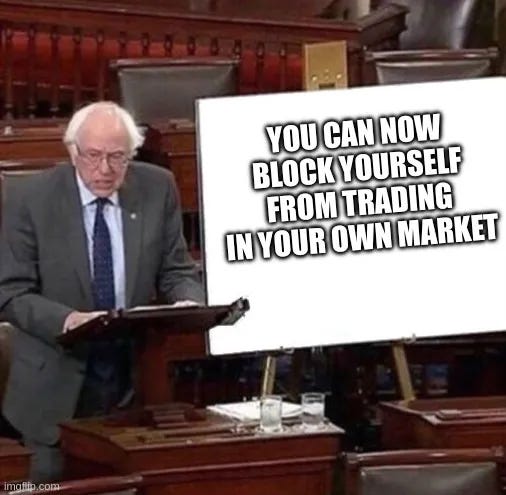
That’s right, you can now block yourself from trading in your own market.
Why would you want to do this? Well, if you had a market about something really subjective, you might want to say, “To remain unbiased, I promise not to hold any shares in this market.” But traders may still be concerned that you’ll swoop in at the last second, place a huge bet, and misresolve the market to make a ton of profit.

Now there’s a button on the market info card that lets you publicly prevent yourself from trading on that market. You’ll see a confirmation box that explains that it can’t be undone except by a moderator or admin, and if you continue, you’ll see a nice green box on your market that tells everyone you’ve committed.

If you still have any shares or profit in the market, that’s fine; it’ll be shown in that box for users to check. I think it will generally be best practice to sell all shares before hitting this button, but I decided not to make it force a liquidation since there are still valid reasons for users to hold shares, but pledge not to buy or sell any more.
I hope this becomes a signal for users to find high-quality, trustworthy markets more easily and reduce opportunities for the bad kind of shenanigans. Feel free to request that creators use this before you bet in a market!
Colors
For multiple-choice questions, you can now select any color by using a hex code!
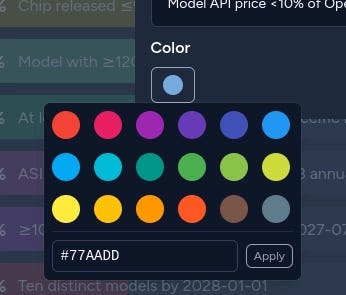
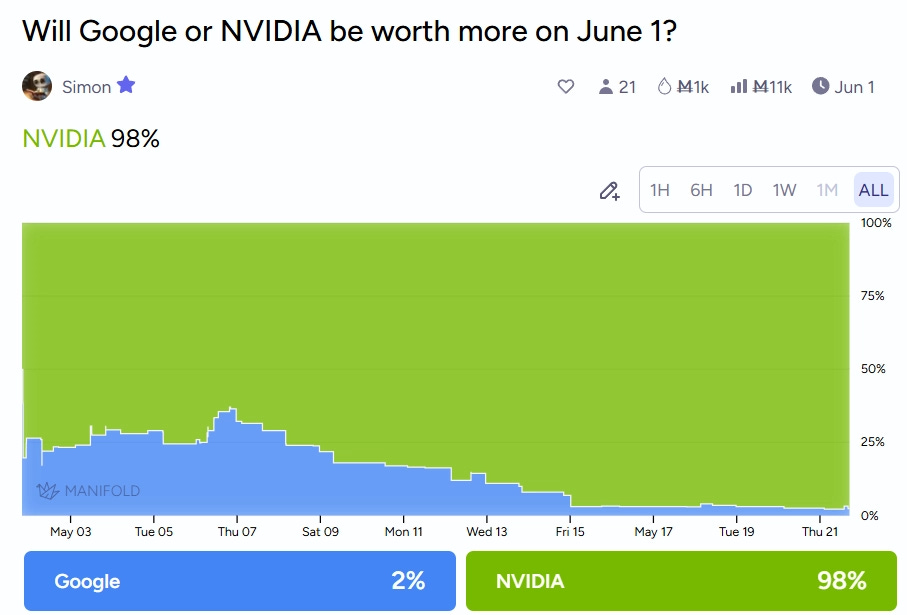
For a while, you’ve been able to pick colors for each answer of a multiple-choice market from a list, but this week we added a field where you can enter any hex code to use a fully-custom color. Now you can use real NVIDIA Green (#76b900) or Claude Orange (#d97757) for your markets! As a bonus, we also applied these to the special 2-answer MC/binary markets, so you can now customize the colors of those markets the same way.
Personalized Mana Offers
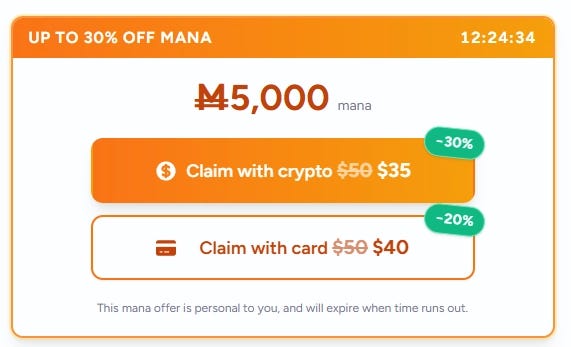
After your merch order ships, you’ll get a notification (and a pulsing badge on the Get Mana button) for a time-limited offer: up to 30% off your next purchase of M$5,000. The offer lives for 72 hours, shows a countdown on the offer card, and works with both card and crypto checkout. If you don’t want it, hit “Dismiss”. The chip stays around so you can un-dismiss if you change your mind; it doesn’t pause the timer.
If you have had difficulty ordering merch, try again! We have made several improvements and fixed a few bugs that were blocking some people.
Referral Payouts
Referral payouts are fixed and now split into two events. A regression from early April was silently blocking new referral payments, so referrers got nothing when their referred user signed up. Now:
M$250 when the referred user places their first non-API bet
M$1,000 when they complete iDenfy verification
So you get something even if your referral never finishes verification, and the extra M$1,000 when they do. The Referrals page now shows the actual amount paid per referral plus badges: “Verify pending” while the verify leg is still outstanding, “N× boost” if your supporter multiplier applied, and “?” for referrals that haven’t earned yet. A backfill script has been run for users whose referrals fell through the bug window.
We are constantly taking steps to detect abuse, but of course, if you notice anything suspicious, please let us know. Using referrals to create your own alt accounts will lead to fines or further punishment — don’t do it!
Trading Log UI
Have you been annoyed at seeing dozens (or hundreds) of tiny limit orders filling up the trade logs? Bots use these types of orders to manage their positions, but it can be difficult to sift through and understand what’s going on. This week, we pushed a few features to help you humans understand the trade log better.
First, we added a button to hide all trades made via the API. This will hide all bot trades and anything else not made directly from the official website or apps. If you would rather just filter out the tiny orders, you can use the older Amount option to see trades above, say, M$100.
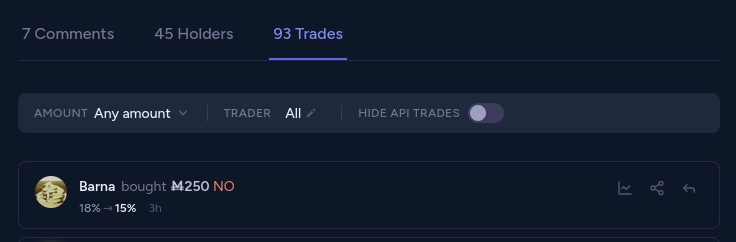
As a bonus, I’ve also added those filters to the Trades tab of the live page. I love having that page open on a second monitor to just watch trades flow by like a waterfall (and definitely not so I can snipe-fade random bets).

We also simplified the text of each trade in the log a bit. Now you can easily distinguish the orders that actually executed; those trades will clearly indicate how much was actually spent versus the maximum. All orders now also include a consistent field that shows if it’s open, filled, expired, or cancelled.

Miscellaneous
You’ll see time zones displayed in a few more places, namely the market page info box and market creation page, where you set the close time. We always used your local timezone for these, but it was never super clear. You can now also set a specific close time on the market creation page.
The balance log got a little love this week. For those of you who place tons of bets, it was getting a little hard to navigate, so we added pagination in addition to the date filters to help you track your balance better. When you go to search, we load the next 20 pages to make sure we find the transaction you’re looking for (though we should search the server instead).
We increased the padding of some buttons, such as the “back” button in the top left of the post page. We also made some other buttons more consistent, like the DM and settings buttons on the profile page. Consistency!
We did some work to try to speed up the prize page loading this week. I don’t actually think this fixed it, though. Someone should make a market about this.
I decided to change the default date market type from buckets (where you bet on individual dates or ranges) to thresholds (where you bet on if it happens before/after a date). Both have their uses, but I think thresholds are usually more intuitive for most situations. Yell at me in the comments if you think I’m wrong!
Last time I mentioned a new API validation for bot comments, checking that
replyToCommentIdexists. Our database expects that this is the ID of the top-level comment since our comment threads aren’t deeply nested. The API now enforces this instead of silently eating your comment.Errors for “Maker has insufficient balance” should be much less likely. When you place a bet on a dependent multiple-choice market, we now check limit orders on other answers and cancel them if they would be filled, and the user doesn’t have enough mana to back it.
We added a document outlining our responsible security disclosure procedures to the GitHub repository. The document is just a recap of our existing procedure, now in a better location.
The stats page now uses query navigation between tabs so you can link to a particular one.
The cool sprout hat we give to new users was falling off their heads sometimes, so we added some superglue to make sure it stays perfectly centered over their avatar.
Thanks for reading! For those of you in the US, have a nice Memorial Day weekend!